Python Requests Library Explained: A Visual Guide
Hey there, web adventurer! Have you ever built a Python script and thought, "I wish I could grab some data from that website?" Or maybe you wanted to talk to a web API, but felt like you needed a secret handshake?
You are not alone. Talking to the internet from your Python code used to be quite a chore. It was like trying to order coffee in a language you only half-understood. But then, a hero emerged!
The Python Requests Library Explained: Your Gateway to the Web
Let’s get real. The Python requests library explained what ‘simple HTTP’ really means. It made web communication easy. Before Requests, you had to deal with low-level sockets. You were practically hand-crafting every message. It was complex, messy, and frankly, a bit of a headache.
Requests changed everything. It provides a friendly interface. You can send all kinds of HTTP requests with minimal fuss. It handles the hard parts. Think of it as your personal translator and messenger for the internet. Ready to pull back the curtain and see how this magic works? Let’s dive in!
1. The Foundation: Building a HTTP Request
When you ask Requests to fetch a web page, you are really building an HTTP request. This is like writing a letter. You specify the recipient (the URL) and what you want to do (the HTTP method, like GET or POST).
Then, you add any extra instructions. These are called "headers." Headers might tell the server what type of content you prefer. Or maybe they share who you are (like your browser type). The Requests library quietly gathers all these pieces for you. It formats them perfectly. It’s like having a postal service that knows exactly how to phrase your letter for any destination.
2. Receiving the Goods: The Response Object
Once your request speeds across the internet, the server sends something back. This is called a "response." The Requests library takes this raw data. Then it neatly packages it into a special object for you. We call this the "Response Object."
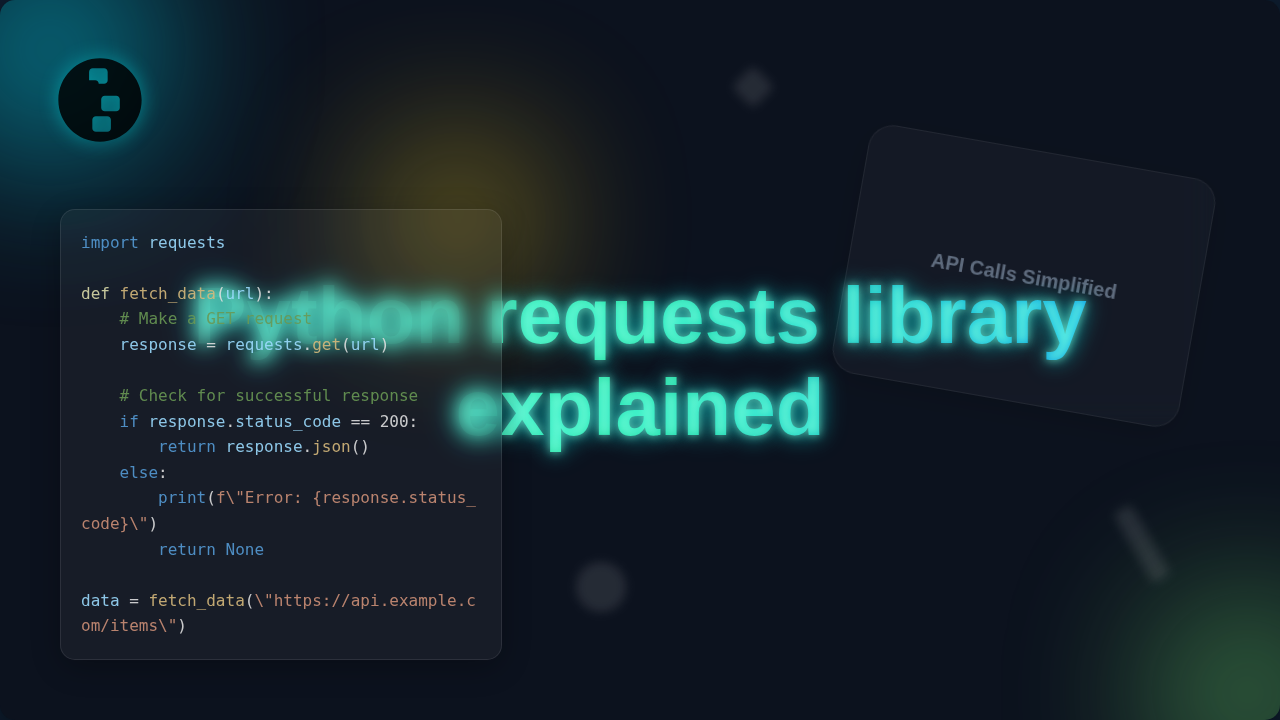
This object is super useful. It tells you if the request was successful (the status code). It also holds the actual content you asked for. Plus, it contains response headers. These might tell you the content’s type. You could be getting a web page, an image, or some JSON data. It’s like receiving a package back. You can check the tracking info, see if it arrived safely, and then open it to find what’s inside! To see how you’d extract data from such a package, check out this Python Web Scraping Tutorial: Extract Data with Requests & BS4.
3. Handling Different Methods: GET, POST, and Beyond
HTTP isn’t just about grabbing web pages. You also want to send data. That’s where different "methods" come in. A GET request is like asking for information. You are retrieving something from the server. Think of it as reading a menu.
A POST request is different. It’s like submitting an order. You are sending new data to the server. You might be creating a new user or posting a comment. Requests provides simple functions for each. It abstracts away the complexity. You just pick the right "verb" for your action. Other methods, like PUT or DELETE, also exist for more specific actions. They help you interact with web resources in a standardized way. This makes web services predictable.
The Python Requests library makes sure your HTTP "verb" matches your intention. You are either asking for information or giving it.
4. Passing Data: Query Parameters and Request Bodies
Often, your requests need specific details. For GET requests, you might filter results. You add "query parameters" to the URL. These are like notes attached to your request asking for "all red shirts."
For POST requests, you send data in the "request body." This is like filling out a form. You might send JSON data or traditional form data. Requests handles the encoding. It ensures the server understands your information. It’s a bit like putting your form in an envelope. Requests then addresses it correctly. This makes your interaction with web APIs straightforward. Learn more about sending data to APIs with our Flask Blog API Tutorial: Python Backend & Automation Script.
5. Security & Trust: SSL Verification and Proxies
The internet isn’t always perfectly safe. Requests helps you navigate this. SSL verification is crucial. It ensures you are talking to the actual server you intend. It prevents imposters from intercepting your data. Requests checks these digital certificates by default. It’s like verifying a website’s identity card.
Sometimes you need to route your traffic through an intermediary. These are called "proxies." Requests supports them easily. This can be for privacy reasons. Or maybe for accessing restricted content. Requests makes these complex network configurations simple. You tell it where to send traffic. It handles the rest. For a deeper dive into how browsers handle secure connections, check out Mozilla’s guide on HTTP Strict Transport Security.
6. Error Handling: When Things Go Wrong (Gracefully)
What happens if the website is down? Or if your request was malformed? Requests gives you tools to handle these issues. Every response has a status code. A "200 OK" means success. But a "404 Not Found" means the page does not exist. A "500 Internal Server Error" means something broke on their end.
Requests also raises exceptions for network errors. You can catch these errors. Then you can respond appropriately. Maybe you retry the request. Or you simply log the problem. It’s like having a robust error report system. It lets your program recover or inform you when things go awry. Mastering such control flow is vital, just like in Python Loops Conditionals: Mastering Control Flow in Automation.
Graceful error handling is not just good practice. It makes your Python scripts reliable and resilient.
7. Staying Persistent: Sessions and Cookies
Visiting a website often involves "state." You log in. Your browser remembers you. This often happens with "cookies." Requests understands cookies. You can manage them manually. But a better way is using a "Session" object.
A Session object maintains cookies across multiple requests. It also manages other connection details. This is incredibly efficient. You log in once. Then all subsequent requests in that session are authenticated. It’s like opening a persistent tab in your browser. All your login details are remembered automatically. It makes navigating secure sites much smoother. You can read more about how cookies work on MDN.
Bonus Tip: Advanced Usage for a Better Python Requests Library Explained Experience
The Python requests library explained experience gets even better with advanced features. Did you know you can set timeouts? This prevents your script from hanging indefinitely. You can also send basic authentication details easily. This means no more complex header manipulation for basic logins. Requests even supports custom retry logic with adapters.
These features give you fine-grained control. They ensure your scripts are robust. They also make your interactions with web services more reliable. Always explore the official documentation for these powerful options!
Quick Summary: Your Web Adventures Await!
So, there you have it! The Requests library acts as your sophisticated HTTP client. It simplifies the complex world of web requests. You now understand how it builds requests, handles responses, and manages sessions. You also know how to send data and handle errors.
You’ve got the foundational knowledge. Now you can confidently interact with any web service. Go forth and fetch, post, and explore the internet with your Python scripts! The web is your oyster. Happy coding!