How the Python Requests Library Actually Works: Beyond the Basics
Hey there, fellow coder! You have probably heard a lot about the Python Requests library. Maybe you have used it already. It is your go-to tool for talking to websites. Most folks start by sending a simple GET request. You might fetch some data from an API. Perhaps you even send a POST request. That sends some data off to a server. But here is the thing. There is so much more happening behind the scenes. You might be missing out on its true power! Let’s bust some common myths together. You will see how this amazing library really works.
Myth #1: The Python Requests Library is Just for Simple GETs and POSTs
Okay, real talk. When you first use the Python Requests library, it feels straightforward. You type requests.get(url). Then you get some data back. Easy, right? You probably think of it as a simple messenger. It just carries your GET or POST message. But that is like saying a car is just for moving from point A to point B. It is true, but it misses a lot!
The Requests library is a robust HTTP client. An HTTP client is software that makes requests to web servers. It is not just about sending basic data. You can control almost every aspect of your web interaction. Think about this for a second. You can add custom headers. These headers are extra pieces of information. They tell the server more about your request. For example, you can tell the server what type of content you prefer. Or you can specify the format of the data you are sending. You can also handle complex authentication. That is how you prove your identity to a server. Plus, you can manage redirects. These happen when a website tells your browser to go to a different URL. The library even handles other HTTP methods like PUT and DELETE. These methods let you update or remove resources on a server. You have much more expressive power than you might imagine.
It is not just about the method. It is about the whole conversation. Imagine you are not just mailing a letter. You are also choosing the stamp. You are picking a special delivery service. Maybe you even track the package. The library gives you all these options. It offers amazing flexibility. You can shape your requests exactly as you need them. You are definitely not limited to just the basics here.
Myth #2: Every Request is a Brand New Conversation
Many beginners assume each time you call requests.get(), it is a totally fresh start. Like making a brand new phone call every time you want to say something. You dial. You chat. You hang up. Then you redial to say the next thing. Sound familiar? This idea is a common pitfall. It can slow you down. It can also make your server less happy.
Here’s the cool part. The Python Requests library can use persistent connections. A persistent connection means your client and the server keep the network link open. They do this after the first request. Why does this matter? Well, it saves a lot of setup time. Every new connection involves a ‘handshake’ process. This handshake establishes trust and negotiates settings. It takes precious milliseconds. You do not have to establish a new connection every single time with persistent connections. This is especially useful when you are making many requests to the same server. Think about scraping data. Or interacting with an API frequently.
The secret sauce here is the Session object. A Session object lets you persist certain parameters. These parameters include things like cookies. Cookies are small pieces of data a website stores on your computer. It also includes HTTP connection pooling. Connection pooling reuses existing connections. It avoids the overhead of creating new ones. So, you can make multiple requests. They all use the same underlying network connection. This makes your code much faster. It is also more efficient for the server. You are not constantly knocking on its door. Instead, you are having an ongoing, polite chat. It is a huge performance boost you might be missing!
Myth #3: You Don’t Need to Worry About What Happens After You Send It
You sent your request. Great! Now what? Many beginners just grab the data. Then they move on. They might check if the data looks okay. But what about errors? What if the server did not like your request? Or what if it simply did not understand? Just sending the message is only half the job. You need to understand the reply. This is crucial for robust web applications.
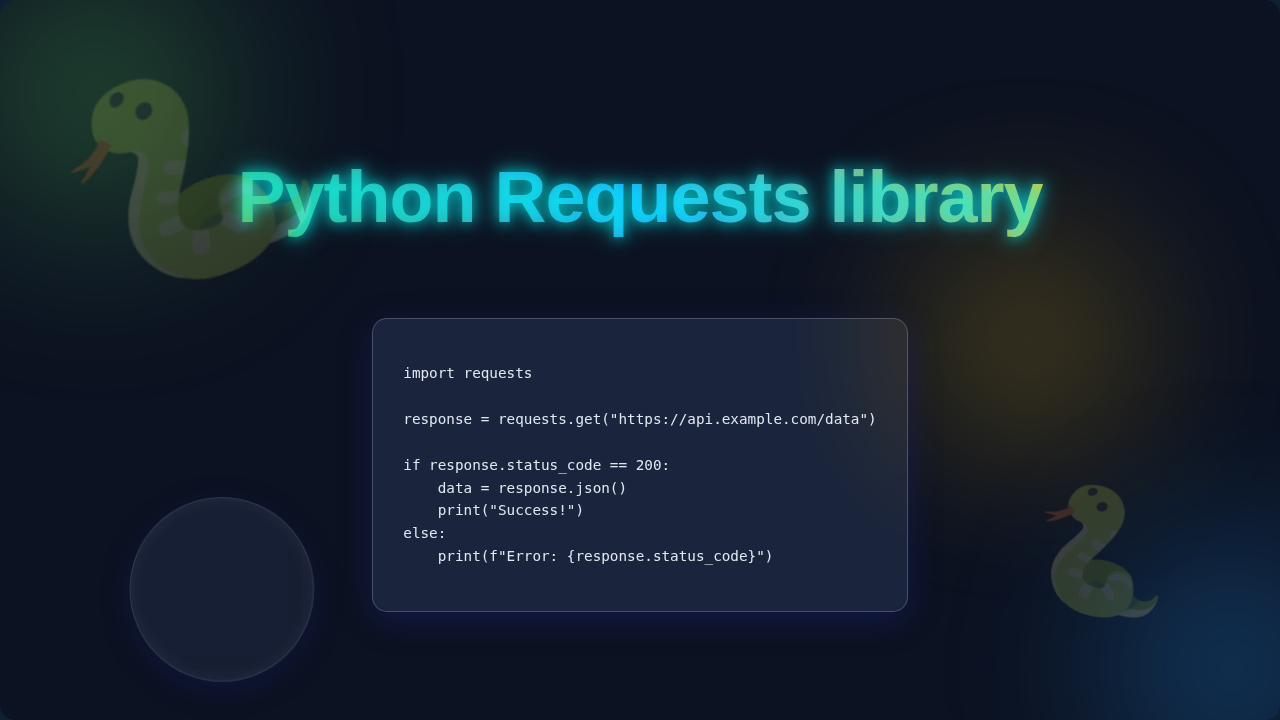
When you make a request, the server always sends back a response. This response includes a status code. A status code is a three-digit number. It tells you if your request was successful. It also explains if there was an issue. For example, 200 means ‘OK’. 404 means ‘Not Found’. And 500 means ‘Internal Server Error’. You need to check these! Ignoring them is like sending an email and never checking for a ‘delivery failed’ notice. Imagine you send a payment request. The server replies with a 403 Forbidden status. You would want to know that immediately, right? Not just blindly assume it worked.
The Python Requests library helps you here. It has methods like response.raise_for_status(). This method automatically raises an exception. It does this if the status code indicates an error (any 4xx or 5xx code). This is a simple but powerful way to handle failures. You also need to consider timeouts. A timeout is a limit on how long your code will wait for a response. If the server is too slow, your code can hang forever. Adding a timeout prevents this. You tell Requests, “Hey, if you don’t hear back in X seconds, just give up!” This makes your programs much more reliable. You are not just talking. You are actively listening for the reply. Then you intelligently reacting to it.
Pro Tip: Always check your HTTP status codes! They are the server’s way of telling you exactly what happened. Ignoring them is like driving blind. Understanding HTTP response codes will make you a much stronger developer.
The Truth: The Python Requests Library is Your Web Superpower
So, we have busted some myths. You see now that the Python Requests library is more than a simple tool. It is a comprehensive framework. It helps you interact with the web like a pro. Its design is thoughtful. It handles many complexities of HTTP for you. You do not have to worry about low-level socket programming. That is the raw network communication. Instead, you focus on your application’s logic. This is the magic of Requests.
Requests also manages things like SSL certificate verification. This ensures you are talking to the correct server. It handles URL encoding. This means special characters in your URLs are safely transmitted. It even supports proxies. Proxies are intermediary servers. They route your requests through another network. All these details are taken care of. You get to think about the bigger picture.
It provides an elegant API. An API is a set of rules and definitions. It lets different software talk to each other. This API makes sending requests simple. But it also gives you deep control. You can customize nearly everything. From cookies to custom headers. From connection timeouts to streaming responses. You have the power. You can handle almost any web interaction scenario.
You are not just a user of the library. You are its conductor. You orchestrate complex web conversations. Truly mastering web API interaction means understanding these layers. It is about embracing its full capabilities. When you do, your web projects will become far more robust. They will also be much more efficient. It is a real game-changer for your web development journey.
Beyond the Basics: What You Should Focus On
Ready to level up? Great! To truly harness the Python Requests library, focus on these key areas. First, master error handling. Always use response.raise_for_status(). It will save you countless debugging hours. Also, implement proper try-except blocks. These blocks catch and manage potential errors. You need to gracefully handle network issues. Maybe the server is down. Or perhaps there is a malformed URL. You want your program to keep running smoothly. This prevents crashes and provides a better user experience.
Second, learn to use Session objects effectively. Especially if you are making multiple requests to the same domain. It will significantly improve performance. It also helps manage cookies and headers consistently. This avoids repetitive code. It also ensures proper state management between requests. Think about maintaining a login state. A Session object makes this much simpler. You get speed and consistency all in one go.
Third, get comfortable with custom headers and authentication. Many APIs require specific headers. They might need a special token. Tokens are like digital keys. They prove who you are. Learning to pass these correctly is vital. Dive into exploring the different HTTP header fields. You will unlock many possibilities. For example, you might need to specify the “User-Agent” header to mimic a specific browser. Finally, always set timeouts. Seriously, always! It protects your application from unresponsive servers. Your program will not get stuck waiting forever. This is a fundamental best practice.
Key Insight: Robust web applications anticipate failure. They do not just hope for success. Embrace error handling, timeouts, and session management. Your future self will thank you for it.
Your Web Journey Just Got a Major Upgrade!
You have made it! We have demystified the Python Requests library. It is more than just a simple tool. It is a powerful, flexible, and robust companion. It helps you navigate the complex world of web interactions. By understanding these ‘behind-the-scenes’ elements, you are no longer just sending messages. You are engineering conversations.
This deeper knowledge empowers you. You can build more reliable applications. You can write more efficient scripts. Perhaps you are even looking into automating your daily Python tasks. Or maybe you are cleaning up your desktop with Python. Whatever your project, knowing how Requests works makes you a better developer.
Keep exploring. Keep building. The web is your playground. And now, you have a better understanding of one of Python’s most essential tools for playing in it. You have got this!