Promise Rejection: Best Practices in JavaScript
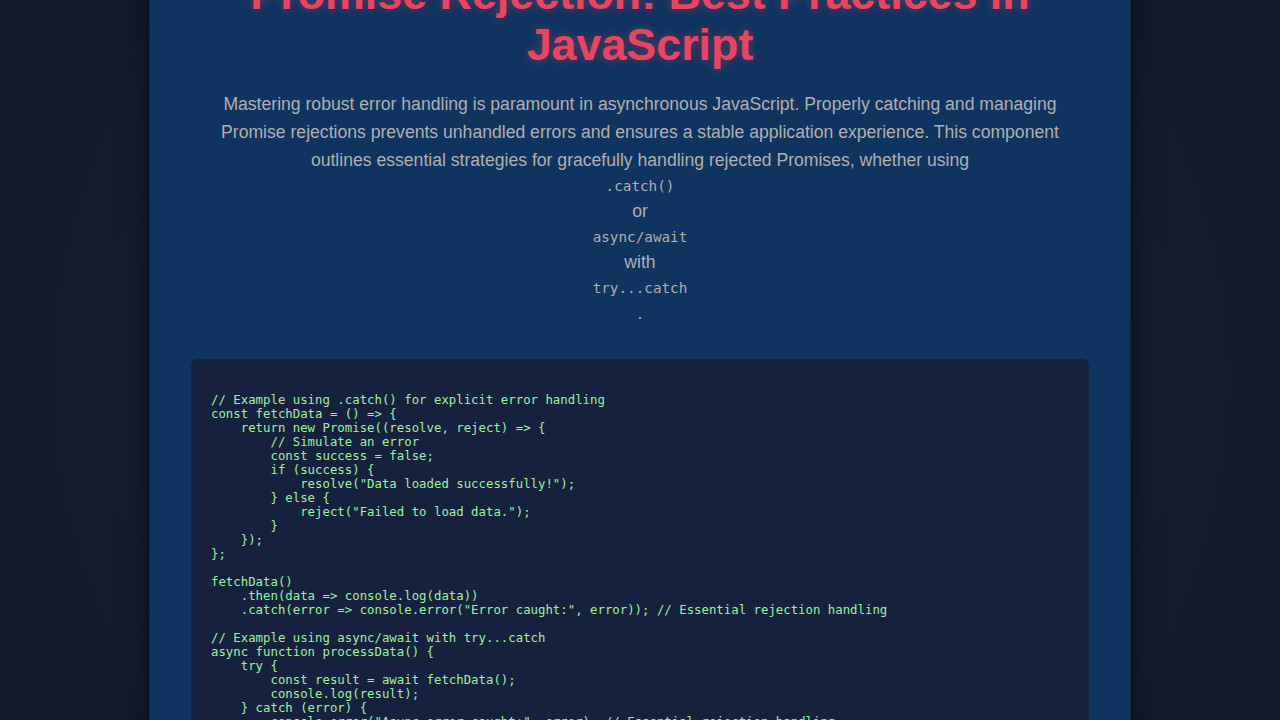
Promise Rejection is a core concept in modern JavaScript development. Asynchronous operations are everywhere, and understanding how to gracefully handle errors when things go wrong is crucial. In this deep dive, we’ll explore robust strategies for managing promise rejections, ensuring your applications are resilient and user-friendly. We’ll look at practical examples and the best techniques to keep your code clean and your users happy.
What We Are Building: Building Robust Error Handling
Today, we aren’t designing a fancy UI from scratch. Instead, we’re building something far more fundamental: a bulletproof approach to asynchronous error management in JavaScript. Think of it as constructing an invisible safety net beneath every API call, every database interaction, and every long-running computation. Therefore, our ‘design inspiration’ comes from the desire for stability and predictability in complex web applications. This is truly trending because modern web experiences demand seamless interactions, even when network conditions are poor or server issues arise.
Imagine a user filling out a critical form. If their submission fails due to a temporary network glitch, a poorly handled promise rejection might leave them staring at a blank screen or a crashed application. Clearly, this is unacceptable. Robust error handling transforms potential frustrations into clear, actionable feedback. Moreover, it significantly improves the developer experience by providing concise debugging information when things inevitably go awry. We can apply these principles everywhere, from data fetching in a To-Do List Web App to complex authentication flows.
Our focus today will be on demonstrating how different Promise Rejection scenarios play out and how to manage them effectively. We’ll illustrate concepts with a simple output area on a web page where we can display success or error messages, mimicking real-world feedback mechanisms. Consequently, this simple structure allows us to concentrate purely on the JavaScript logic, which is the heart of our discussion.
HTML Structure for Our Error Display
To provide a visual feedback loop for our promise operations, we need a minimal HTML structure. This setup will give us a designated area to display messages and a button to trigger our asynchronous tasks. It’s straightforward and serves our purpose perfectly.
index.html
<!DOCTYPE html>
<html lang="en">
<head>
    <meta charset="UTF-8">
    <meta name="viewport" content="width=device-width, initial-scale=1.0">
    <title>JavaScript Promise Rejection Best Practices</title>
    <link rel="stylesheet" href="styles.css">
</head>
<body>
    <div class="container">
        <h1>Promise Rejection: Best Practices in JavaScript</h1>
        <p>Explore robust techniques for handling rejected Promises, ensuring your asynchronous operations are resilient and error-proof.</p>

        <h2>Using <code>.catch()</code></h2>
        <div id="catchOutput" class="output-area"></div>
        <pre><code class="language-javascript" id="catchCode"></code></pre>

        <h2>Using <code>async/await</code> with <code>try...catch</code></h2>
        <div id="asyncAwaitOutput" class="output-area"></div>
        <pre><code class="language-javascript" id="asyncAwaitCode"></code></pre>

        <h2>Global Unhandled Rejection</h2>
        <div id="unhandledOutput" class="output-area"></div>
        <pre><code class="language-javascript" id="unhandledCode"></code></pre>

    </div>
    <script src="script.js" defer></script>
</body>
</html>
script.js
document.addEventListener('DOMContentLoaded', () => {
    const catchOutput = document.getElementById('catchOutput');
    const asyncAwaitOutput = document.getElementById('asyncAwaitOutput');
    const unhandledOutput = document.getElementById('unhandledOutput');
    const catchCodeBlock = document.getElementById('catchCode');
    const asyncAwaitCodeBlock = document.getElementById('asyncAwaitCode');
    const unhandledCodeBlock = document.getElementById('unhandledCode');

    // --- Best Practice 1: Using .catch() for explicit error handling ---
    const explicitRejectPromise = new Promise((resolve, reject) => {
        // Simulate an asynchronous operation that fails
        setTimeout(() => {
            reject(new Error('Data fetching failed! (Explicit Catch)'));
        }, 500);
    });

    const runExplicitCatch = () => {
        explicitRejectPromise
            .then(data => {
                console.log('Success (Explicit Catch):', data);
                catchOutput.textContent = `Success: ${data}`;
                catchOutput.classList.remove('error');
            })
            .catch(error => {
                console.error('Error (Explicit Catch):', error.message);
                catchOutput.classList.add('error');
                catchOutput.textContent = `Error: ${error.message}`;
            });
    };
    runExplicitCatch(); // Execute immediately

    const catchCode = `const explicitRejectPromise = new Promise((resolve, reject) => {
    setTimeout(() => {
        reject(new Error('Data fetching failed! (Explicit Catch)'));
    }, 500);
});

explicitRejectPromise
    .then(data => console.log('Success:', data))
    .catch(error => console.error('Error caught:', error.message));`;
    catchCodeBlock.textContent = catchCode;

    // --- Best Practice 2: Using async/await with try...catch ---
    const asyncRejectPromise = (shouldFail) => {
        return new Promise((resolve, reject) => {
            setTimeout(() => {
                if (shouldFail) {
                    reject(new Error('Operation failed! (Async/Await Try-Catch)'));
                } else {
                    resolve('Operation successful! (Async/Await Try-Catch)');
                }
            }, 800);
        });
    };

    async function runAsyncAwaitWithTryCatch() {
        try {
            const result = await asyncRejectPromise(true); // Set to 'true' to demonstrate rejection
            console.log('Success (Async/Await):', result);
            asyncAwaitOutput.textContent = `Success: ${result}`;
            asyncAwaitOutput.classList.remove('error');
        } catch (error) {
            console.error('Error (Async/Await):', error.message);
            asyncAwaitOutput.classList.add('error');
            asyncAwaitOutput.textContent = `Error: ${error.message}`;
        }
    }
    runAsyncAwaitWithTryCatch(); // Execute immediately

    const asyncAwaitCode = `const asyncRejectPromise = (shouldFail) => {
    return new Promise((resolve, reject) => {
        setTimeout(() => {
            if (shouldFail) {
                reject(new Error('Operation failed! (Async/Await Try-Catch)'));
            } else {
                resolve('Operation successful! (Async/Await Try-Catch)');
            }
        }, 800);
    });
};

async function runAsyncAwaitWithTryCatch() {
    try {
        const result = await asyncRejectPromise(true);
        console.log('Success:', result);
    } catch (error) {
        console.error('Error caught:', error.message);
    }
}
runAsyncAwaitWithTryCatch();`;
    asyncAwaitCodeBlock.textContent = asyncAwaitCode;

    // --- Best Practice 3: Global unhandledrejection event (for debugging/logging) ---
    // Note: This won't prevent the error from being "unhandled" in terms of the Promise chain,
    // but it allows you to observe and log such errors globally.
    let unhandledCounter = 0;
    window.addEventListener('unhandledrejection', (event) => {
        console.warn('GLOBAL UNHANDLED REJECTION:', event.promise, event.reason);
        const reason = event.reason ? event.reason.message || event.reason : 'Unknown reason';
        unhandledOutput.classList.add('error');
        unhandledOutput.textContent += `[${++unhandledCounter}] Caught Unhandled Rejection: ${reason}\n`;
        // event.preventDefault(); // Uncomment if you want to suppress default browser console warnings
    });

    const unhandledRejectPromise = new Promise((resolve, reject) => {
        setTimeout(() => {
            reject(new Error('This promise will be unhandled!'));
        }, 1200); // Give enough time for previous promises to settle
    });
    // This promise deliberately has no .catch() to trigger the global unhandledrejection listener.

    const unhandledCode = `window.addEventListener('unhandledrejection', (event) => {
    console.warn('GLOBAL UNHANDLED REJECTION:', event.promise, event.reason);
    // You can log this error to a monitoring service
    // event.preventDefault(); // Optional: to prevent default browser error logging
});

const unhandledRejectPromise = new Promise((resolve, reject) => {
    setTimeout(() => {
        reject(new Error('This promise will be unhandled!'));
    }, 1200);
});
// This promise deliberately has no .catch() to trigger the global listener.`;
    unhandledCodeBlock.textContent = unhandledCode;

    // Initial output for the unhandled section
    unhandledOutput.textContent = 'Waiting for an unhandled rejection... (Check console too)\n';
});
CSS Styling for Clear Error Messages
A little styling goes a long way in making error messages understandable. We’ll add some basic CSS to ensure our success and error messages are clearly distinguishable and easy on the eyes. This helps users quickly grasp the outcome of their actions.
styles.css
body {
    font-family: Arial, Helvetica, sans-serif;
    margin: 0;
    padding: 20px;
    background-color: #1e1e1e; /* Dark background */
    color: #f0f0f0; /* Light text */
    line-height: 1.6;
    box-sizing: border-box;
    overflow-x: hidden; /* Prevent horizontal scroll */
}

.container {
    max-width: 960px;
    margin: 40px auto;
    background-color: #2b2b2b; /* Slightly lighter dark background */
    padding: 30px;
    border-radius: 8px;
    box-shadow: 0 4px 15px rgba(0, 0, 0, 0.3);
    overflow: hidden; /* Ensure content stays within bounds */
    box-sizing: border-box;
}

h1 {
    color: #61dafb; /* Accent blue for main title */
    font-size: 2.5em;
    margin-bottom: 20px;
    text-align: center;
}

h2 {
    color: #a0d468; /* Accent green for section titles */
    font-size: 1.8em;
    margin-top: 30px;
    margin-bottom: 15px;
    border-bottom: 1px solid #444;
    padding-bottom: 5px;
}

p {
    margin-bottom: 20px;
    color: #ccc;
}

pre {
    background-color: #333; /* Darker background for code */
    color: #f8f8f2; /* Light code text */
    padding: 15px;
    border-radius: 6px;
    overflow-x: auto; /* Scroll for long lines */
    max-width: 100%;
    box-sizing: border-box;
    white-space: pre-wrap; /* Wrap long lines */
    word-break: break-all; /* Break words if necessary */
    margin-bottom: 20px;
    border: 1px solid #444;
}

code {
    font-family: "SFMono-Regular", Consolas, "Liberation Mono", Menlo, Courier, monospace;
    font-size: 0.95em;
    display: block;
}

.output-area {
    background-color: #3a3a3a;
    border: 1px solid #555;
    padding: 15px;
    margin-top: 10px;
    margin-bottom: 25px;
    border-radius: 6px;
    min-height: 50px;
    color: #e0e0e0;
    font-family: "SFMono-Regular", Consolas, "Liberation Mono", Menlo, Courier, monospace;
    font-size: 0.9em;
    white-space: pre-wrap;
}

.output-area.error {
    color: #ff6347; /* Tomato red for errors */
}

/* Ensure images and other replaced elements fit */
img, video, canvas, svg {
    max-width: 100%;
    height: auto;
    display: block;
}

/* General safety for all elements */
* {
    box-sizing: border-box;
}
Step-by-Step Breakdown: Mastering Promise Rejection
Now, let’s dive into the JavaScript! This is where we put our knowledge into practice, exploring various scenarios and the best ways to handle Promise Rejection. We’ll cover everything from the basics of .catch() to advanced global error handling. Furthermore, we’ll consider how modern async/await syntax changes our approach.
Understanding Promise States
Before we handle rejections, let’s briefly recap promise states. A promise can be in one of three states: pending (initial state, neither fulfilled nor rejected), fulfilled (meaning that the operation completed successfully), or rejected (meaning that the operation failed). A promise that is either fulfilled or rejected is said to be settled. Understanding these states is foundational for effective error management. Importantly, once a promise settles, its state can no longer change. This immutability simplifies reasoning about asynchronous flows.
The .catch() Method: Our First Line of Defense
The most common way to handle a promise rejection is using the .catch() method. This method takes a callback function that executes if the promise is rejected. It’s essentially syntactic sugar for .then(null, rejectionHandler). Consider this common scenario:
function fetchDataWithError(shouldError) {
  return new Promise((resolve, reject) => {
    setTimeout(() => {
      if (shouldError) {
        reject(new Error('Failed to fetch data!'));
      } else {
        resolve('Data fetched successfully!');
      }
    }, 1000);
  });
}

document.getElementById('triggerButton').addEventListener('click', () => {
  const outputDiv = document.getElementById('output');
  outputDiv.className = '';
  outputDiv.textContent = 'Fetching data...';

  fetchDataWithError(true) // Simulate an error
    .then(data => {
      outputDiv.textContent = data;
      outputDiv.className = 'success';
    })
    .catch(error => {
      outputDiv.textContent = `Error: ${error.message}`;
      outputDiv.className = 'error';
      console.error('Caught by .catch():', error);
    });
});
In this example, if fetchDataWithError rejects, the .catch() block springs into action. It displays an error message to the user and logs the detailed error to the console. This separation of success and error handling logic makes your code cleaner and more readable. Remember, an unhandled promise rejection can lead to silent failures or unhelpful error messages in the console, so always include a .catch().
Handling Errors in async/await with try/catch
The async/await syntax provides a more synchronous-looking way to write asynchronous code. With great power comes great responsibility, and error handling is no exception. Instead of .catch(), you’ll typically use traditional try/catch blocks, which are familiar to anyone who’s worked with synchronous error handling. This approach often leads to more readable and maintainable async code. You can learn more about modern JS features, including JavaScript ES2025 — 5 Features You Should Know, to enhance your error handling strategies.
async function performAsyncOperation(shouldError) {
  const outputDiv = document.getElementById('output');
  outputDiv.className = '';
  outputDiv.textContent = 'Performing async operation...';

  try {
    const data = await fetchDataWithError(shouldError); // Reuses our promise-returning function
    outputDiv.textContent = data;
    outputDiv.className = 'success';
  } catch (error) {
    outputDiv.textContent = `Error: ${error.message}`;
    outputDiv.className = 'error';
    console.error('Caught by try/catch in async function:', error);
  }
}

document.getElementById('triggerButtonAsync').addEventListener('click', () => {
  performAsyncOperation(true); // Simulate an error with async/await
});
The try/catch block beautifully encapsulates the asynchronous operation. If any awaited promise within the try block rejects, control immediately jumps to the catch block. This makes error handling feel very natural. It’s a powerful pattern for keeping your async code robust.
Global Unhandled Rejection Events
Sometimes, a promise might reject without a .catch() handler attached. These are called unhandled promise rejections. They can be tricky because they might not immediately crash your application but can indicate underlying issues. JavaScript provides global event handlers to catch these: unhandledrejection and rejectionhandled.
window.addEventListener('unhandledrejection', event => {
  console.warn(`An unhandled promise rejection occurred: ${event.reason.message}`);
  // Prevent default handling if you want to handle it yourself
  // event.preventDefault();
  document.getElementById('output').textContent = `Global Warning: ${event.reason.message}`;
  document.getElementById('output').className = 'error';
});

window.addEventListener('rejectionhandled', event => {
  console.log(`A promise rejection was handled after the fact: ${event.reason.message}`);
});

// Example of an unhandled rejection
document.getElementById('triggerButtonUnhandled').addEventListener('click', () => {
  new Promise((_, reject) => setTimeout(() => reject(new Error('This promise was unhandled!')), 500));
});
These global handlers are essential for monitoring and debugging. They provide a last line of defense, allowing you to log errors to a central service, inform users, or perform other necessary clean-up. However, it’s generally best practice to handle rejections as close to their origin as possible, rather than relying solely on global handlers. This ensures specific context is available.
When to throw and When to reject()
This is a common point of confusion. Inside a Promise constructor, you use reject(error) to signal failure. Inside an async function or any synchronous code, you use throw new Error('message'). The await keyword then converts a thrown error into a promise rejection. Consequently, it treats a rejected promise as if it threw an error. This unification simplifies error handling across different async paradigms.
// Inside a Promise constructor
new Promise((resolve, reject) => {
  if (Math.random() > 0.5) {
    reject(new Error('Rejected from Promise constructor!'));
  }
});

// Inside an async function (await converts throw to rejection)
async function doSomethingAsync() {
  if (Math.random() < 0.5) {
    throw new Error('Thrown from async function!');
  }
  return 'Success!';
}
"Errors are not interruptions to the work; they are part of the work." - Unknown
This subtle difference is key to understanding error propagation. Always remember to wrap error messages in proper Error objects (e.g., new Error('Message')) rather than just strings. This provides valuable stack trace information, which is critical for debugging. Furthermore, consider different error types like TypeError or custom error classes for better categorization.
Error Propagation and Chaining
Promises are chainable, and so is their error handling. When a promise rejects, the rejection propagates down the chain until it hits a .catch() handler. If a .catch() handles the error and returns a new value (or a new promise that resolves), the chain continues with that new value. If a .catch() throws a new error or returns a promise that rejects, the rejection continues to propagate.
function firstStep() {
  return Promise.reject(new Error('First step failed!'));
}

function secondStep() {
  return Promise.resolve('Second step success!');
}

function thirdStep() {
  return Promise.reject(new Error('Third step failed!'));
}

document.getElementById('triggerButtonChain').addEventListener('click', () => {
  const outputDiv = document.getElementById('output');
  outputDiv.className = '';
  outputDiv.textContent = 'Starting chain...';

  firstStep()
    .then(data => {
      console.log(data); // This won't run
      return secondStep();
    })
    .catch(error => {
      console.error('Caught in middle of chain:', error.message);
      outputDiv.textContent = `Chain Error (middle): ${error.message}`;
      outputDiv.className = 'error';
      return 'Recovered from first step error.'; // This resolves the chain
    })
    .then(data => {
      console.log('After middle catch:', data);
      outputDiv.textContent += ` | Next: ${data}`;
      outputDiv.className = 'success';
      return thirdStep(); // This will reject again
    })
    .catch(error => {
      console.error('Caught at end of chain:', error.message);
      outputDiv.textContent += ` | Final Error: ${error.message}`;
      outputDiv.className = 'error';
    });
});
This demonstrates how a .catch() in the middle of a chain can recover from an error, allowing subsequent .then() blocks to execute. However, if the recovery also fails, or if a new error is thrown, the rejection continues its journey. This pattern allows for granular error handling at different stages of a complex asynchronous workflow.
Best Practices: What to Reject With
Always reject with an Error object, or a subclass of Error. Never just a string or a number. An Error object provides a stack trace, which is incredibly useful for debugging. Additionally, consider creating custom error types for specific scenarios. For instance, you might have a NetworkError, AuthenticationError, or ValidationError. This makes your error handling more semantic and easier to manage. Similarly, when building accessible web forms, detailed error feedback is crucial. You can find more on Building Accessible Web Forms with HTML5 and JavaScript.
"The only way to avoid errors is to do nothing, which is the biggest error of all." - Elbert Hubbard
Making Error Handling Responsive
While our core topic is JavaScript, responsive error handling ensures that error messages are not only accurate but also clearly visible and actionable across all devices. For instance, on a small mobile screen, a long, technical error message might be truncated or difficult to read. Therefore, consider how your UI adapts. Short, user-friendly messages are best, perhaps with an option to 'View Details' for technical users or developers. Media queries can help ensure error message containers look good. You can explore modern CSS techniques at CSS-Tricks. Ultimately, the goal is to prevent a rejection from breaking the user experience, regardless of screen size. Focus on immediate, clear feedback.
Final Output: A Resilient Application
The cumulative effect of these practices is an application that is resilient and user-centric. Instead of crashing or freezing, it gracefully informs the user when something goes wrong. Our 'final output' isn't a single visual design but a conceptual framework for handling asynchronous failures. The key visual elements achieved here are the dynamic display of success or error messages in our dedicated output area. This allows developers to easily test and verify their promise rejection logic, knowing that the user will always receive appropriate feedback. Therefore, even in the face of unexpected errors, your application remains robust and reliable.
Conclusion: Embracing Effective Promise Rejection
Mastering Promise Rejection is not just about avoiding crashes; it's about building user trust and creating maintainable code. We've explored the essential tools: .catch() for traditional promises, try/catch for async/await, and global handlers for last-resort error capture. Furthermore, we've discussed the nuances of what to reject with and how errors propagate through promise chains. By consistently applying these best practices, you can transform potential pitfalls into opportunities for robust and informative error feedback. Always remember that comprehensive error handling is a hallmark of professional web development. Incorporate these strategies into your daily coding to elevate the quality and reliability of your JavaScript applications.